Why My OAuth Login Worked in Dev and Broke in Production
 Samuel Santana
For weeks, the Google and GitHub login on samuelsantana.dev worked perfectly—in my local environment. In production, the popup would open, the user would authorize, and after that, nothing happened. No console errors, no 500s, nothing obvious. Just a closed popup and an application that continued to think no one had logged in.
This kind of bug—works locally, breaks in production, no stack trace—usually means one thing: an assumption that was true by accident, not by design.
The Hidden Assumption
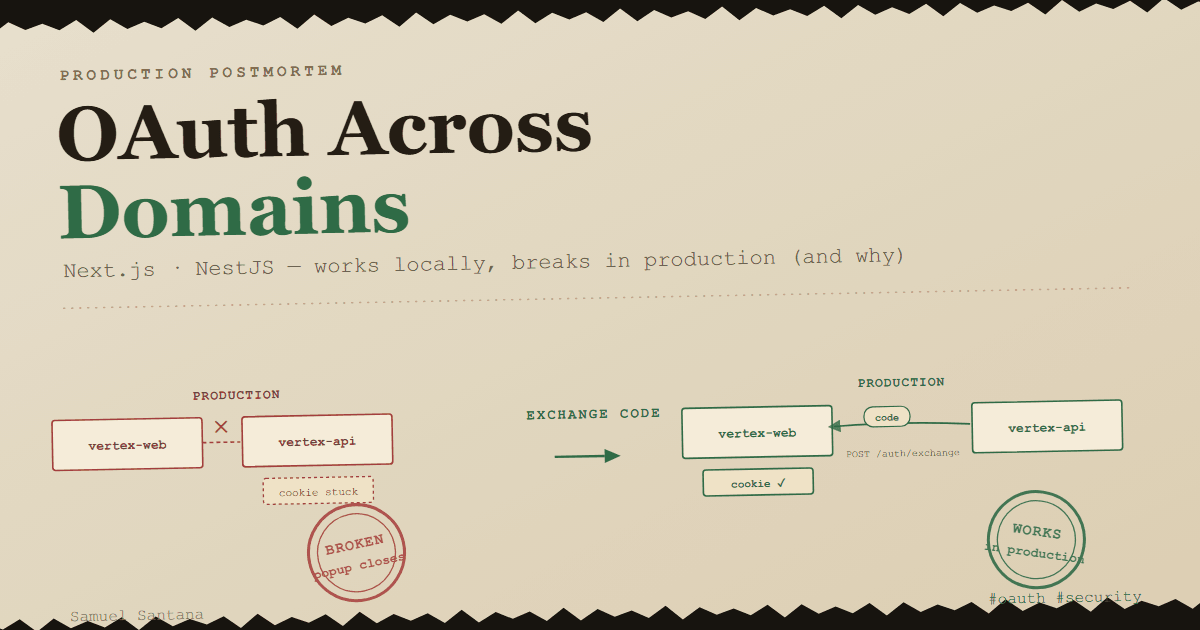
The frontend (vertex-web, on Vercel) and the API (vertex-api, on Render at the time; on AWS Lambda today) are two separate applications on different domains. The OAuth flow, in the first version, was as obvious as possible: the popup went straight to Google, Google returned it to the API's callback, and the API—after validating the user and generating the JWT—set an HttpOnly cookie in its own response and closed the popup.
It made sense. And it worked, in dev.
The problem is why it worked: localhost:3000 (frontend) and localhost:3333 (API) share the same hostname. Cookies are not scoped by port—only by domain. So, locally, the cookie the API set was, without me realizing it, "visible" to the frontend simply because they both shared localhost. In production, vertex-web-zeta.vercel.app and vertex-api-xxxx.onrender.com have absolutely nothing in common. The cookie the API set was trapped in its domain—Next.js would never be able to see it, no matter how long I kept polling.
It wasn't a bug. It was an architecture that only made sense due to a coincidence of the development environment.
The Wrong Path (and Why It's Tempting)
The obvious fix seems to be: make the API redirect to the frontend after the callback, passing the token in the URL (?token=...), and let the frontend set the cookie itself, on the right domain.
It works. And it's a terrible idea.
A JWT in a query string leaks into everything that logs URLs by default: browser history, access logs for proxies and CDNs, the Referer header of the page's requests to its own origin (for third parties, today's browser default already strips path and query). It's a valid session token, sitting in plain text in places I don't control.
The Final Pattern: Exchange Code, Not Token
The final solution separates two things that the first attempt mixed up: proving that the login occurred and delivering the actual credential.
- The popup goes straight to the API's
/auth/google(absolute URL). - After Google confirms, the API does not generate the JWT there. It generates a random, short-lived, single-use code—never the real token—and redirects the popup to the frontend with this code in the URL.
- The frontend's callback page does two things, in this order: first, it removes the code from the URL with
history.replaceState—even before the exchange request goes out—and only then does it exchange this code for the real token in a server-to-server call (POST /auth/exchange). The cookie is set there, on the frontend's domain, by a Server Action.
// vertex-api — the code is never the token, and never survives beyond 60s
createOAuthExchangeCode(payload: JwtPayload): string {
  const code = randomBytes(32).toString("hex");

  this.oauthExchangeCodes.set(code, {
    payload,
    expiresAt: Date.now() + OAUTH_EXCHANGE_CODE_TTL_MS, // 60s
  });

  return code;
}
(The snippets in this section are from the first version, which kept the codes in an in-memory Map. In the repository today they live in a Postgres table—only each code's SHA-256 hash, consumed by a single DELETE ... RETURNING—because a Map only works while a single process serves the API.)
The part I like most about this implementation is exchangeOAuthCode: the code is wiped off the map before checking if it's valid, not after.
async exchangeOAuthCode(code: string): Promise<string> {
  const entry = this.oauthExchangeCodes.get(code);

  // Deleted unconditionally — it's single-use regardless of the result
  this.oauthExchangeCodes.delete(code);

  if (!entry || entry.expiresAt < Date.now()) {
    throw new UnauthorizedException("Invalid or expired exchange code");
  }

  return this.generateAccessToken(entry.payload);
}
This isn't a cosmetic detail. By always deleting it at the function's entry point, the code dies on its first use—valid or invalid. And with an in-memory Map there is no race between the get and the delete to begin with: no await separates them, and Node never interleaves two requests in the middle of synchronous code. The race shows up once reading and deleting become two database round trips: with a SELECT followed by a DELETE, two simultaneous requests with the same code (a replay, or just a poorly behaved network retry) can both read the entry before either removes it—which is why, when the codes moved from memory to Postgres, reading and deleting became a single DELETE ... RETURNING statement.
Even if someone captures this code from a log or browser history, it expires in 60 seconds and can only be exchanged once. In practice, it will already have been used by the legitimate owner before anyone else can do anything with it.
The Catch I Didn't Expect
After solving the domain problem, I still needed to notify the original window (the tab where the user was reading the blog) that the login had finished, so it could react and show the logged-in user. The obvious way is for the popup to call window.opener.postMessage(...) before closing.
This simply didn't work, and for a long time I didn't understand why. The answer: my own API responds with a Cross-Origin-Opener-Policy header (same-origin-allow-popups, set through Helmet)—and a document whose COOP is anything other than unsafe-none, opened in a popup by a page from another origin, is moved to a new browsing context group. That permanently and irreversibly severs the window.opener reference at the API's very first redirect, before the popup even reaches Google or GitHub. It doesn't matter that the subsequent navigation is back to my own domain: the reference has already been cut along the way.
I went through two intermediate solutions before accepting this—an attempt to detect the popup closing via polling, then an attempt to poll a session route—both worked "almost always," which in authentication is the same as not working. The final solution was to replace direct communication between windows with a BroadcastChannel: an origin-scoped channel that survives exactly the type of isolation COOP imposes, because it doesn't rely on a reference between the two windows—only on the fact that both are on the same origin.
Why This Matters
None of these decisions appear in an "add Google login in 5 minutes" tutorial. They only arise when two real applications, on real domains, with real security headers that you don't control, need to talk to each other—and that is exactly where the difference between "works in my environment" and "works in production" pays off (or takes its toll).
The full code—the code exchange service, the callback page, the use of BroadcastChannel, and the tests covering the flow—is open in the vertex-api and vertex-web repositories.
If your OAuth login breaks at a different step, I put together a diagnostic map organized by symptom:
redirect_uri_mismatch, a mismatchedstate, PKCE, cookies that never reach the callback, and the popup that loses itsopener.
Comments
Loading comments...