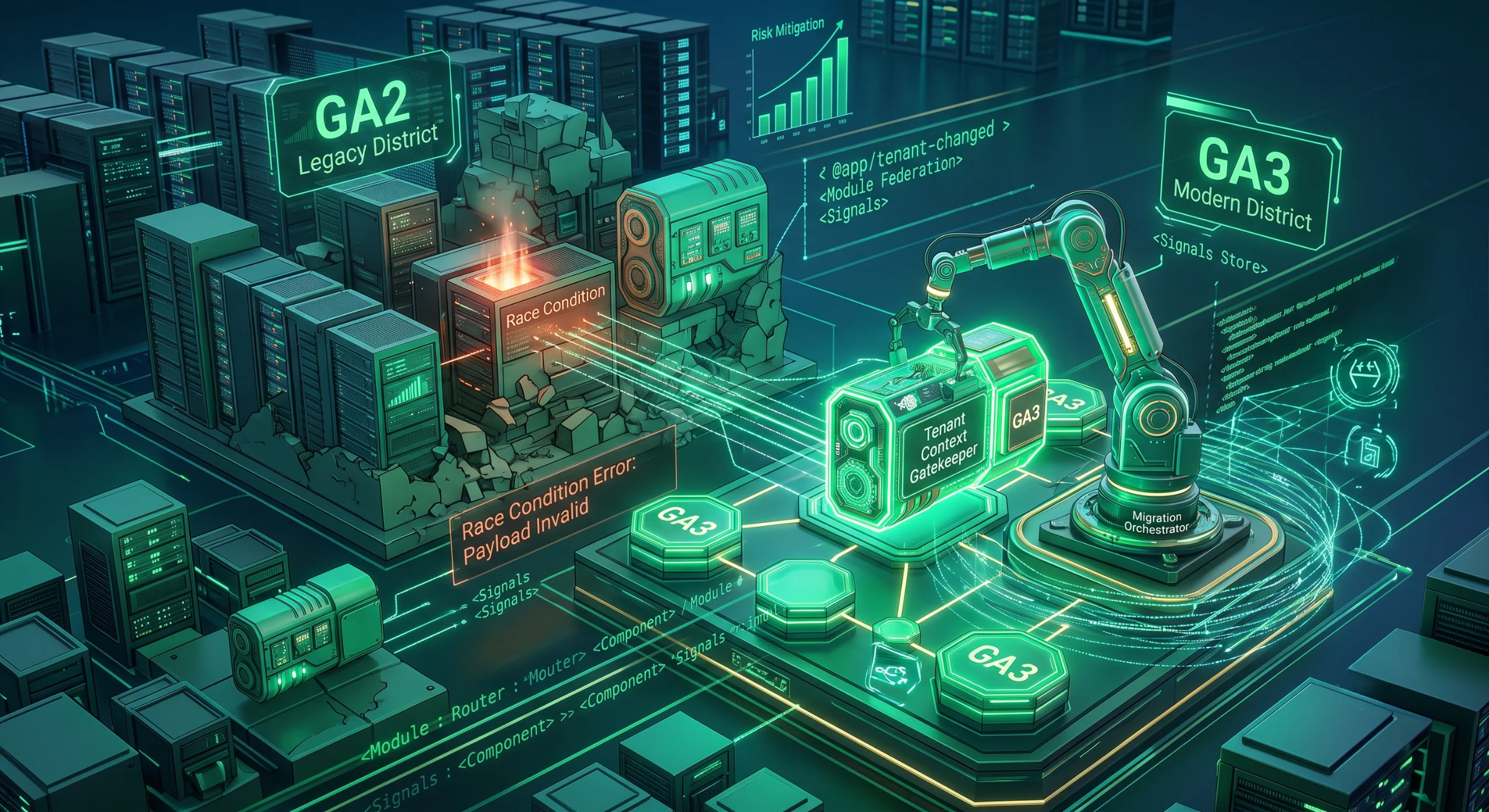
Real Strategies for Complex Frontend Migrations
 Samuel Santana
The End of the "Big Bang"
Every senior dev has been in this meeting. The legacy code has accumulated unpayable technical debt, build times take agonizing minutes, every new feature breaks two old ones, and inevitably, someone suggests the cursed phrase: "Let's stop everything and rewrite it from scratch."
The intention is understandable, but in large-scale B2B applications, the "Big Bang" approach — rebuilding everything in a parallel branch and flipping the switch all at once — is the fastest way to blow past deadlines, lose implicit business rules, and cause absolute chaos in production.
If you are leading the transition of a complex ecosystem — say, migrating the entire interface and architecture of a "GA2" system to a "GA3" version —, the refactoring needs to happen while the plane is flying. Below, I detail the true roadmap to orchestrate this using Angular or React, focusing on edge cases, state leaks, and silent failures that usually bring systems down mid-migration.
1. The Strangler Fig Pattern and the Dependency Trap
One of the safest strategies is Martin Fowler's Strangler Fig pattern — which can be applied at the routing layer (a reverse proxy or CDN sending each route to the right app) or, as here, with Module Federation. You build a "Shell" application (the main container) that wraps the legacy system and, using Micro-frontends with Module Federation, delegates the routes: new features load the GA3 remote app, while old ones load the GA2 legacy app.
The Breaking Scenario: Singleton Conflicts and the White Screen of Death
The most common mistake when federating modules is underestimating base library version conflicts. The Shell might be on React 18, but the legacy is stuck on React 16. In Angular, version conflicts with RxJS or the core itself between the Shell and the remote are fatal.
How the system breaks: The user opens a modal in the legacy module. The Shell's Webpack tries to resolve the shared react-dom or Zone.js, finds a memory reference mismatch, and throws a fatal error. The result? A completely white screen and a console bleeding red errors.
The Solution: Paranoid configuration of shared dependencies in webpack.config.js. It won't make React 16 and 18 coexist — with singleton, only one copy exists, the highest version — but it turns a silent failure into a loud one at load time. For different majors, don't share React at all: each app mounts its own React root in its own DOM node, or the legacy app gets upgraded before it is federated.
// Shell App's webpack.config.js
shared: {
  react: {
    singleton: true,
    requiredVersion: deps.react,
    strictVersion: true // Throws at runtime, on load, if versions don't match: a loud early failure instead of a silent bug
  },
  "react-dom": {
    singleton: true,
    requiredVersion: deps["react-dom"]
  }
}
2. Context Leakage in Multi-tenant Environments
In SaaS platforms, a user operates within the boundaries of a specific tenant (company). The Shell application must act as the Single Source of Truth for this context.
The Breaking Scenario: Race Conditions and the Token Nightmare
Desynchronization between the application shell and the micro-frontends generates severe anomalies.
How the system breaks: The user is on an old screen (GA2) and changes the active company in the top menu. Next, they click a shortcut to an already migrated dashboard (GA3). The new component mounts before the "tenant change" event finishes propagating. The new dashboard fires HTTP calls using the previous tenant's Header or Token. The worst-case scenario isn't a 401 Unauthorized; it's the API accepting the request and company "B's" dashboard showing company "A's" financial data.
The Technical Solution:
In Angular 17+, adopting Signals at the Shell level solves the synchronous half of the problem, replacing the complexity of BehaviorSubjects: a component mounted after the switch already reads the new tenant. Closing the race condition still requires the Shell and the remote to share one injector (@angular/core as a federated singleton), the HTTP interceptor to read the signal at request time, and in-flight requests for the previous tenant to be cancelled.
// Shell App: tenant.service.ts
@Injectable({ providedIn: 'root' })
export class TenantContextService {
  public readonly activeTenantId = signal<string | null>(null);

  updateTenant(newId: string) {
    this.activeTenantId.set(newId);
  }
}
3. The Bloody Conflict of Design Systems (Elements/CSS)
When you mix two generations of code in the same browser window, CSS and global elements are the first points of failure.
The Breaking Scenario: CSS Bleeding and Elements Overwriting
The legacy GA2 system uses coupled global CSS (e.g., .btn, table tr td). The new GA3 interface was built with Tailwind or a modern Design System (MUI, Angular Material).
How the system breaks: The old CSS is injected into the <head>. When navigating to a new route, the modern layout inherits legacy properties. If you use Angular Elements to encapsulate components, you might suffer from global styles leaking into the Shadow DOM, or library conflicts trying to register duplicate custom elements in the browser's customElements registry.
The Solution:
- Shadow DOM: Change the
ViewEncapsulationof your critical components toShadowDom. This stops global selectors from reaching the component, but it isn't a complete barrier: inheritable properties (color,font,line-height) and CSS variables cross the boundary —:host { all: initial; }resets the inheritable ones. - Encapsulated Web Components: When exporting UI parts as
Angular Elements, ensure Custom Elements registration is scoped under a namespace prefix — and guardcustomElements.definewithif (!customElements.get(name)), because the same element registered by two bundles throws. - CSS Scoping: Use preprocessors to wrap the legacy CSS.
@use 'sass:meta';

/* GA2 Legacy Wrapper */
.legacy-scope {
  @include meta.load-css('legacy-styles');
}
// Now legacy CSS only affects what is inside the .legacy-scope class
4. Observability and UI Migration Logs
Deploying the new screen doesn't mean the migration was successful. Old databases (GA2) are full of anomalies that the new frontend doesn't anticipate.
The Breaking Scenario: Invalid Contracts and Silent Errors
The new component tries to render user.address.street.toUpperCase(). Because address came back null or in an unexpected format from the backend, the application throws a TypeError and the screen dies. The error gets lost in the infrastructure logs and the client opens a ticket complaining.
The Solution: Defensive frontends and support tools built right into the UI. Use libraries like Zod (framework-agnostic — it works the same in React and Angular) to validate the payload the moment it crosses the network. Add columns to your frontend administration grid showing the migration status and the exact error that prevented that record from loading.
5. Feature Toggles and the Cache Trap
Gradual migration requires "Panic Buttons." You control who goes to GA3 via Feature Flags.
The Breaking Scenario: The Fallback That Never Happens
A manager turns off a key client's flag because the new GA3 version had a bug, but the client keeps seeing the broken screen. The reason? The Service Worker or LocalStorage saved the flag as "active" and the browser isn't fetching the new configuration from the server.
The Solution: Implement a routing Guard with compulsory Cache-Busting for infrastructure flags.
// Angular example using a cache-safe Guard
@Injectable({ providedIn: 'root' })
export class MigrationGuard implements CanActivate {
  private readonly featureFlags = inject(FeatureFlagsService);
  private readonly router = inject(Router);

  async canActivate(): Promise<boolean | UrlTree> {
    // Forces a direct server request, bypassing flag caches
    const flags = await this.featureFlags.fetchLatest({ bypassCache: true });

    if (flags['ui-migration-ga3']) return true;
    return this.router.createUrlTree(['/legacy/dashboard']);
  }
}
The Verdict
Rewriting a frontend system isn't just about modernizing components. It's software architecture focused on risk management. Dependency conflicts, tenant desynchronization, style leaks between Elements, and cache failures are what actually bring operations to a halt.
The success of your transition won't be measured by the code you deleted, but by the stability you maintained while swapping the car's engine at 75 mph.
What about your team? Have you adopted architectures based on Micro-frontends and Web Components to isolate failures, or are you still suffering through massive deployments? Leave your experience in the comments.
Comments
Loading comments...